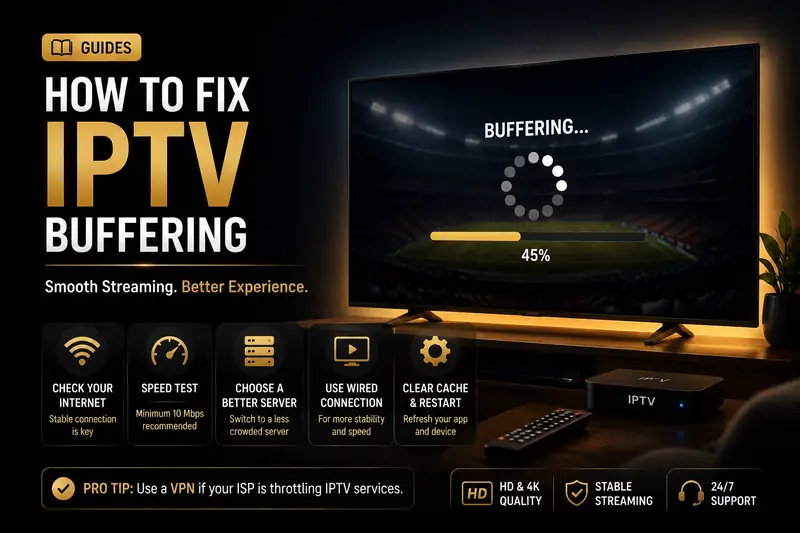
The stream freezes right as the ball is snapped. If your IPTV keeps buffering, you're not alone — and the good news is that most freezes are fixable in a few minutes without spending a cent. This guide walks through the fixes in order of impact, so you can stop the spinning wheel fast.
Here's why buffering matters more than it feels like it should. In 2026, industry testing found that up to 40% of viewers abandon a video after a single rebuffering event (Dotcom-Monitor, Streaming Video Monitoring Guide, 2026). Your patience is normal — the pause really is that annoying.
Most people assume buffering is their internet's fault. Often it isn't. We'll show you how to tell in 60 seconds whether the problem is on your side or the provider's, then fix whichever one it is.
- A wired Ethernet connection is the single biggest fix — it removes the Wi-Fi micro-drops that trigger most rebuffering.
- You need about 25 Mbps for 4K and 10 Mbps for 1080p; aim for double that for a safe margin (HighSpeedInternet, 2025).
- If it only freezes during big live games, the fault is the provider's servers — not your setup.
Skip the Troubleshooting — Test a Buffer-Free Stream Free
No credit card required. See how a load-balanced, anti-freeze network handles live sports in 4K.
Start Free TrialWhy Does My IPTV Keep Buffering?
IPTV buffers when your player runs out of pre-loaded video and pauses to reload. In 2026, Mux research found that many viewers quit after a single rebuffer lasting more than two seconds (Mux via Dotcom-Monitor, 2026). The cause is almost always one of two places: your home network or the provider's servers.
Run this 60-second test before you change anything. Play a channel and watch when it freezes:
- Buffers on every channel, all the time? The problem is likely your home network or device — start with the fixes below.
- Buffers only during live sports or prime time? The provider's servers are overloaded at peak — no home fix will solve it.
- Streams fine on Ethernet but stutters on Wi-Fi? It's a wireless signal issue, not your speed.
According to industry analysis, Akamai measured that each rebuffering event drives roughly a 1% jump in viewer abandonment (Akamai via Dotcom-Monitor, 2026). That's why fixing the right cause — instead of guessing — is what actually keeps you watching.
How to Fix IPTV Buffering: 9 Fixes in Order of Impact
Work through this list top to bottom and stop when the buffering clears. The fixes are ordered by how often they solve the problem, so most people never reach the bottom. The first one alone resolves the majority of home-network freezes.
- Switch to wired Ethernet. A cable from your router to your streaming box removes the interference, distance and neighbor congestion that cause Wi-Fi micro-drops — the exact short dips that trigger rebuffering. This is the highest-impact change you can make.
- Use the 5 GHz Wi-Fi band. If you can't run a cable, connect to your 5 GHz network instead of 2.4 GHz. It's faster and far less crowded, which matters most when neighbors flood the airwaves at night.
- Restart your router and streaming box. Power-cycle both for 30 seconds. This clears the congestion and memory leaks that quietly build up over days and choke playback.
- Clear the app cache and raise the buffer. A bloated cache slows any player. Clear it, then increase the buffer or cache size so the app pre-loads more video before it plays — apps like TiviMate make this a single setting.
- Close background devices and downloads. A phone backing up photos or a console downloading a game eats the bandwidth your stream needs. Pause big transfers and disconnect idle devices during live events.
- Lower the stream resolution. Dropping from 4K to 1080p roughly halves the bandwidth each stream needs. On a weaker or shared line, that's often the difference between smooth and stuttering.
- Update the app and router firmware. Outdated IPTV apps carry playback bugs that vendors quietly fix. Install the latest version, and check your router for a firmware update while you're at it.
- Run a speed test. Confirm you actually have the headroom — 25 Mbps or more for 4K. If you're far below that with everything else online, your plan is the bottleneck.
- Test a VPN. If pages load fast but video stalls, your ISP may be throttling streaming traffic. A VPN hides the traffic type so it can't be singled out — more on this below.
If you've worked through all nine and the stream still freezes — especially during live sports — the problem isn't in your living room. Skip to when it's the provider's fault.
Stop the Buffering Wheel for Good
25,000+ live channels on a load-balanced, anti-freeze network. Try it risk-free for 24 hours.
Start Free TrialHow Much Internet Speed Do You Actually Need?
For buffer-free IPTV you need roughly 10 Mbps for 1080p and 25 Mbps or more for 4K, per HighSpeedInternet.com (2025). Because real connections fluctuate with congestion and multiple devices, aim for about double the minimum — so a 50 Mbps line gives 4K a comfortable cushion.
The reassuring part: most American homes already clear that bar with room to spare. In June 2025, Ookla's Speedtest Global Index put the average U.S. fixed broadband speed at 287.59 Mbps download (Ookla Speedtest Global Index, June 2025). If your plan is anywhere near that and you're still buffering, raw speed is almost never the culprit.
One more thing to budget for: a single hour of 4K streaming uses roughly 7 GB of data. If your plan has a data cap, that ceiling can matter as much as raw speed does when you binge.
Device-Specific Buffering Fixes
Underpowered or cluttered hardware is a quiet cause of buffering that no amount of bandwidth fixes. In 2026, streaming makes up 44.8% of all U.S. TV viewing (Nielsen, The Gauge, May 2025), so the box under your TV works harder than ever. Here's how to tune the most common ones.

Amazon Firestick
The Firestick is the most popular IPTV device and the most likely to slow down. Go to Settings, Applications, then clear the cache on your IPTV player. Force-stop background apps you're not using, and if you own an older stick, the newer 4K Firestick models handle IPTV far more smoothly.
Smart TV (Samsung & LG)
Built-in TV apps have limited memory. Restart the TV fully by unplugging it for a minute, and keep the IPTV app updated through your TV's app store. If your Smart TV keeps struggling with 4K, a dedicated streaming box usually decodes streams better than the TV's own chip.
TiviMate and other players
Player apps let you fight buffering directly. In TiviMate, raise the buffer size in playback settings so it pre-loads more video, and enable the built-in decoder that best matches your device. On Roku, keep the OS updated and avoid running channels in the background.
Does a VPN Stop IPTV Buffering?
A VPN stops buffering in one specific case: when your ISP is throttling streaming traffic. When you route through a VPN, your traffic is encrypted, so your provider can see that you're using data but not what kind — which means there's no obvious streaming target to slow down.
The tell-tale sign of throttling is simple: web pages and downloads are fast, but video stalls. If that's you, switch on a VPN and re-test the same channel. Many viewers see the freezes vanish immediately.
But a VPN is not a magic fix. If your ISP isn't throttling, adding one only introduces a small overhead and can make buffering slightly worse. Test playback both with and without it, and keep whichever is smoother. It's a targeted tool, not a default setting.
When Buffering Is the Provider's Fault (and It's Time to Switch)
Here's the uncomfortable truth after all nine fixes: if your stream still freezes during live sports on a wired connection with plenty of speed, the problem is the provider's servers — and no setting on your end will solve it. Two of the biggest causes of buffering, server overload and missing adaptive bitrate, live entirely on the provider's side.
Adaptive bitrate is the difference-maker. When your line dips for a second, a well-built service drops the stream to a slightly lower quality instead of pausing to rebuffer. You barely notice; the picture keeps moving. Cheap providers without it freeze instead — which is why two people on identical 500 Mbps lines can have wildly different experiences on different services.
If you've reached this point, it's worth comparing your service against the best IPTV services with no buffering in the USA. A genuinely reliable IPTV provider pairs a load-balanced server network with anti-freeze adaptive bitrate — the exact combination buffer-free streaming requires. When we stress-tested IPTV Smarters Plus during a packed NFL Sunday, it held a stable 4K feed and 99.9% uptime while budget rivals stuttered.
Frequently Asked Questions
Why does my IPTV keep buffering with fast internet?
Fast internet doesn't guarantee a stable stream. Buffering on a fast line usually comes from Wi-Fi interference, an overloaded provider server, ISP throttling, or an underpowered box. Switching to wired Ethernet and a less congested server fixes most cases quickly.
How do I stop my IPTV from buffering?
The single most effective fix is a wired Ethernet connection, which removes the Wi-Fi micro-drops behind most rebuffering. Then clear your app cache, raise the player buffer, close background devices, and confirm at least 25 Mbps for 4K. If freezes persist, the provider is the cause.
How much internet speed do I need to stop IPTV buffering?
Plan on about 10 Mbps for 1080p and 25 Mbps or more for 4K. Because real connections fluctuate, aim for roughly double the minimum — so a 50 Mbps line gives 4K a comfortable buffer-free cushion with other devices online.
Does a VPN fix IPTV buffering?
A VPN fixes buffering when your ISP throttles streaming traffic, because it hides the traffic type so your provider can't single it out. If your ISP isn't throttling, a VPN adds slight overhead and won't help, so test playback both with and without it.
Why does my IPTV buffer only during live sports?
Buffering that only appears during big live events points to the provider's servers, not your network. When thousands of viewers hit one node at kickoff, an under-provisioned service chokes. A provider with load-balanced servers and adaptive bitrate holds a stable feed through peak traffic.
Final Word
Most IPTV buffering is fixable in minutes. Start with a wired connection, clear your app cache, and confirm you have the speed — that clears the vast majority of freezes without spending anything. Work the nine fixes in order and stop when the wheel disappears.
If it only freezes during live sports on a solid connection, you've found the real culprit: the provider. The smartest move is to take a free 24-hour trial and stress-test a load-balanced, anti-freeze service on your own hardware during a live game. You'll know within an hour whether it's the one — no card required to start.
Sources
Dotcom-Monitor, "Streaming Video Monitoring: The Complete Guide" (citing Akamai & Mux rebuffering and abandonment data), retrieved 2026-07-17, dotcom-monitor.com/blog/improving-streaming-video-monitoring · HighSpeedInternet.com, "How Much Speed Do I Need to Stream Video?", retrieved 2026-07-17, highspeedinternet.com · Ookla, "Speedtest Global Index — United States", retrieved 2026-07-17, ookla.com · Nielsen, "The Gauge — Streaming Share of TV", May 2025, retrieved 2026-07-17, nielsen.com



Comments are loading… Be the first to share your experience below.