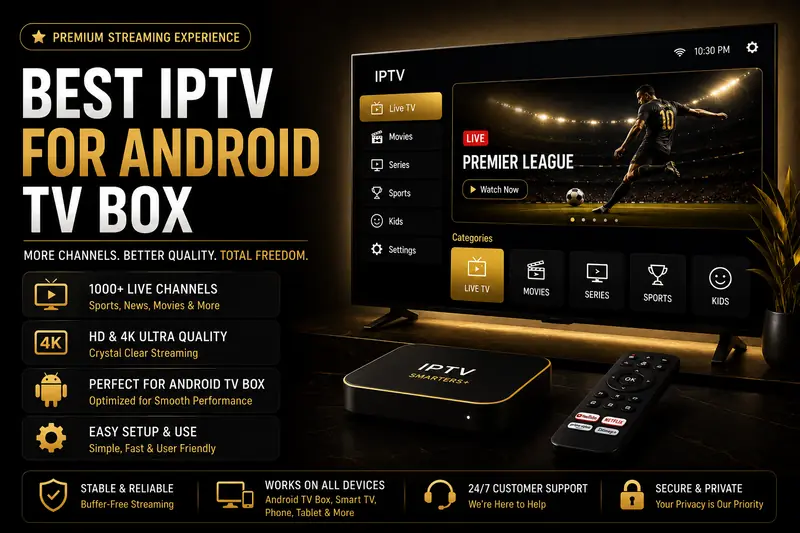
- Works on NVIDIA Shield, Mi Box, Chromecast with Google TV and generic boxes.
- Many budget boxes lack the Play Store — sideloading an APK fixes that in minutes.
- Cheap boxes with 1-2GB of RAM buffer on 4K — that's the hardware, not your service.
- IPTV Smarters Plus: 25,000+ channels in 4K from $4.92/month.
Android TV boxes are the cheapest way to turn any TV into a smart streaming hub, and they range from a $200 NVIDIA Shield to a $25 no-name box from an online marketplace. The best IPTV for Android TV box works across all of them, but which box you own changes exactly how you set it up — and that's the part most guides skip.
Try It On Your Android Box Free
25,000+ channels in 4K, free for 24 hours — no credit card. Works whether or not you have the Play Store.
Start My Free TrialNot All Android TV Boxes Are the Same
Here's what most people don't realize until they're stuck: an "Android TV box" isn't one standard product. Some run Google's certified Android TV OS with the Play Store built in. Many budget boxes just run stock Android with a TV-style skin — and skip Google's certification entirely.
- Certified (has Play Store) — NVIDIA Shield TV, official Mi Box, Chromecast with Google TV, most Sony/TCL/Hisense smart TVs.
- Uncertified (no Play Store) — generic boxes like X96, H96, T95 and MXQ Pro, common on marketplaces.
Neither type stops you from using IPTV. It just changes step one of setup, covered below.
What's the Best IPTV for an Android TV Box?
The best option is a service built around an M3U playlist or Xtream Codes login, paired with a remote-friendly player. IPTV Smarters Plus provides exactly that — 25,000+ live channels in 4K, full EPG and catch-up from $4.92 a month, working identically whether your box is a $200 Shield or a $25 generic model.
Pair it with a player designed for a remote control rather than a touchscreen — TiviMate and IPTV Smarters Pro both navigate cleanly with a D-pad, unlike phone-first apps.
How Do You Install IPTV Without the Play Store?
If your box lacks the Play Store, sideloading takes about five minutes and works on literally any Android device. This is the single most useful thing to know before buying a cheap box.
- Install Downloader — a small app available even on uncertified boxes via its APK, used to fetch other APKs by URL.
- Get the player's APK link — from the developer's official site, e.g. TiviMate or IPTV Smarters Pro.
- Enter the URL in Downloader — it downloads and prompts to install automatically.
- Open the player and add your playlist — the M3U URL or Xtream Codes login we email you.
Certified boxes skip step one entirely — just install your player straight from the Play Store, then continue from step four.
25,000+ Channels, Any Android Box
Certified or generic, it works the same. Test it free for 24 hours before you commit.
See PlansWhy Does IPTV Buffer on a Cheap Android Box?
Usually the box, not the stream. Budget generic boxes often ship with just 1-2GB of RAM and an underpowered processor, which struggles to decode a 4K feed smoothly no matter how fast your internet is or how good the provider's servers are.
If a channel stutters only on your Android box but plays fine on your phone, that's the tell. Drop to 1080p, close background apps, or budget for a box with 3GB+ of RAM like the Shield TV. For everything else that can cause buffering, see our complete buffering guide.
Are "Fully Loaded" Android Boxes Legal?
The box itself and a licensed IPTV subscription are both completely legal — Android is just an operating system. The real risk is boxes marketed as "fully loaded" or "jailbroken," which come pre-installed with unauthorized streaming apps bundled by the seller, not the box manufacturer.
The safe path is simple: buy a plain Android box from a reputable brand, then add a legitimate IPTV subscription yourself. You get the same hardware without any of the legal exposure that comes bundled with a "loaded" box.
How Do You Set Up IPTV on an Android TV Box? (Quick Steps)
Once your player is installed — from the Play Store or sideloaded — connecting your subscription is the same on every box.
- Start the free 24-hour trial — no credit card, no contract.
- Open your player — TiviMate, IPTV Smarters Pro, or Kodi all work.
- Enter your M3U or Xtream Codes details — emailed the moment you sign up.
Need help with a specific box? Our setup guides cover the rest, with 24/7 WhatsApp support if you get stuck sideloading.